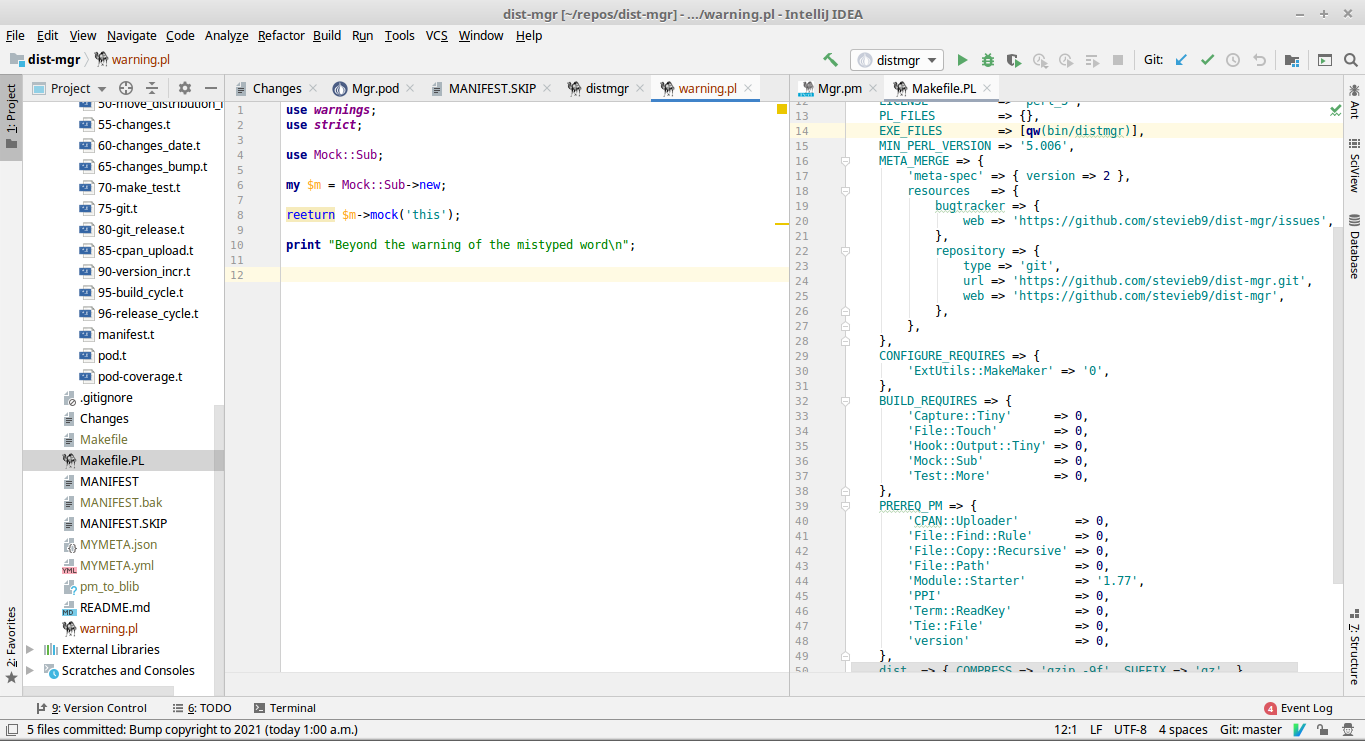
My IDE highlights the word in yellow (warning), and hovering over it produces the following pop-up: Unable to find sub definition, declaration, constant definition or typeglob aliasing. It also throws a yellow dot at the line where the warning is located, so even if that line isn't in view on the screen, I can always see if there are any warnings/errors anywhere within the file at a glance. Everything happens live-time, so I can actually see it immediately after I'm done typing.
Here's an image of what I'm speaking of. If I point at the word, the notice pops up.
| [reply]
[d/l] |
| [reply]
[d/l] |
It's the Perl5 Camelcade plugin for intelliJ IDEA. I've been using it religiously (along with the Vim plugin, of course) for numerous years now.
I'm doubtful that it uses Perl::Critic, as it works just fine if that distribution isn't installed. I'm quite sure it uses its own parser, but I am not 100% sure either way. It works the exact same way with Python, JS/jQuery etc.
The only Perl distributions that I install in support of this software is Devel::Camelcadedb, which simply supplies Perl debug support within the IDE.
| [reply] |