I've released version 1.36 of berrybrew, the Perlbrew for Windows. I've also reached out to see how I can become part of the Strawberry Perl team to get back on track with the release of new Strawberry Perls.
If you have any information on the release procedure for Strawberry, or know anyone on that team I might be able to contact to get things moving forward again, please let me know.
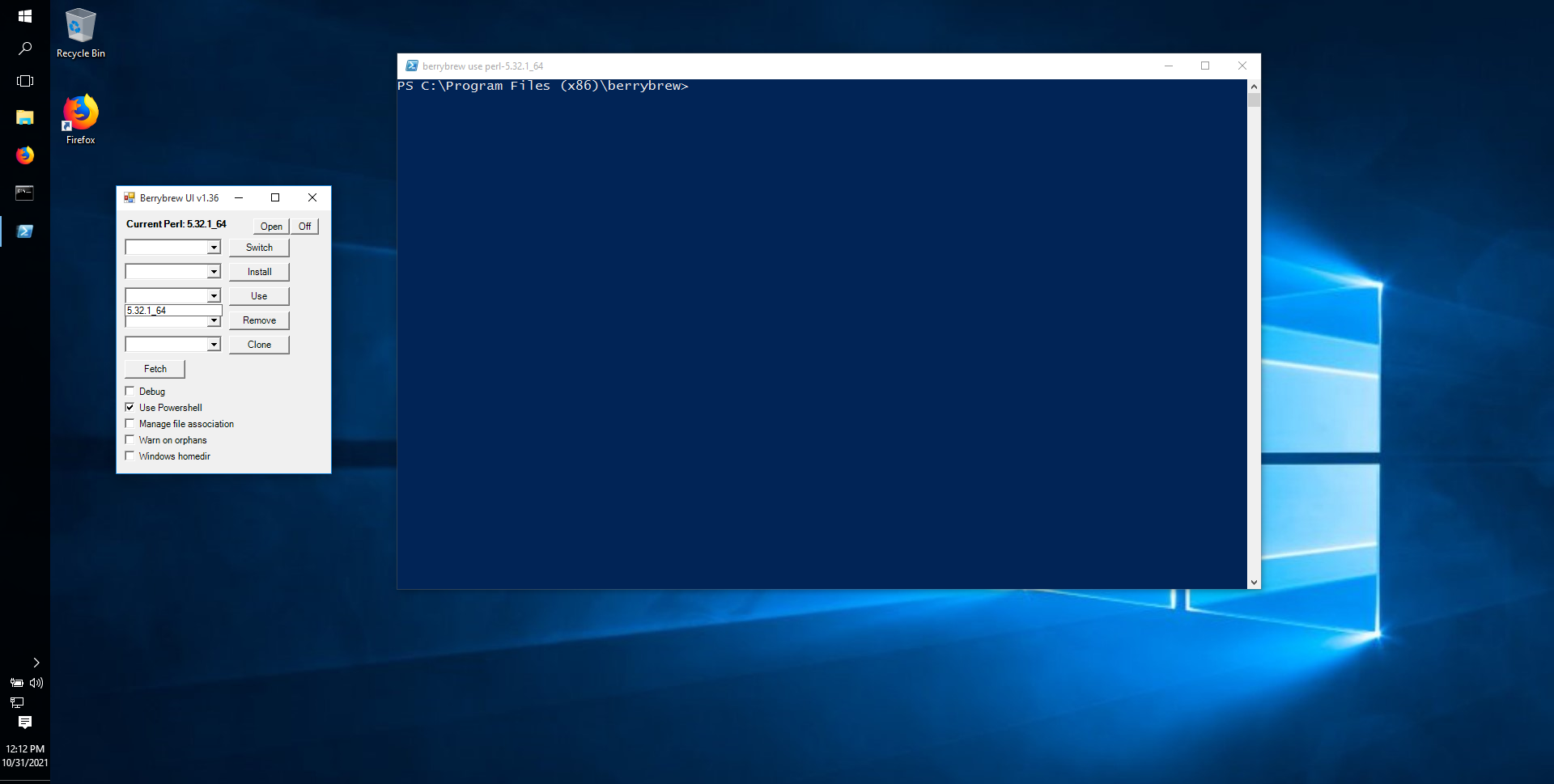
This release contains one significant new feature, the ability to use Powershell as the shell when opening or using a Perl. In the UI, when you "Open" your current Perl, or "use" any Perl you have installed, if the "Use Powershell" option is checked, instead of a cmd.exe shell, you'll be presented with a Powershell one (same applies for the command line berrybrew use $version). See image.
The other changes in this release enhance the unit testing infrastructure, and the tests themselves.
Other notable changes since my last blog post:
- The berrybrew associate command now has an alias of assoc for fewer keystrokes
- Better exception handling in several cases
- Documentation clarifications
- Removed the upgrade command. It's now recommended to use the Installer to manage upgrades
- Fix issue when using berrybrew to manage file associations where arguments passed to perl were being handled incorrectly
- Unit test infrastructure enhancements
As always, feedback, feature requests and especially bug notices are very welcome, whether here on Perlmonks or at my issue tracker.
Posts are HTML formatted. Put <p> </p> tags around your paragraphs. Put <code> </code> tags around your code and data!
Titles consisting of a single word are discouraged, and in most cases are disallowed outright.
Read Where should I post X? if you're not absolutely sure you're posting in the right place.
Please read these before you post! —
Posts may use any of the Perl Monks Approved HTML tags:
- a, abbr, b, big, blockquote, br, caption, center, col, colgroup, dd, del, details, div, dl, dt, em, font, h1, h2, h3, h4, h5, h6, hr, i, ins, li, ol, p, pre, readmore, small, span, spoiler, strike, strong, sub, summary, sup, table, tbody, td, tfoot, th, thead, tr, tt, u, ul, wbr
You may need to use entities for some characters, as follows. (Exception: Within code tags, you can put the characters literally.)
| |
For: |
|
Use: |
| & | | & |
| < | | < |
| > | | > |
| [ | | [ |
| ] | | ] |
Link using PerlMonks shortcuts! What shortcuts can I use for linking?
See Writeup Formatting Tips and other pages linked from there for more info.