I've completed another Raspberry Pi related distribution, RPi::HCSR04. This one allows you to use Perl to read data from the HC-SR04 ultrasonic distance sensor.
It's trivial to use, however, because it uses wiringPi internally, your scripts require root privileges.
use warnings; use strict; use feature 'say'; use RPi::HCSR04; my $trig_pin = 23; my $echo_pin = 24; my $sensor = RPi::HCSR04->new($trig_pin, $echo_pin); # each call is a separate poll say $sensor->raw; say $sensor->cm . " cm"; say $sensor->inch . " \"";
Output:
634 10.915135593358 cm 4.29729747772217 "
There's still a bit more work I have to do (catch out-of-range measurements etc), but it works pretty well and is surprisingly accurate.
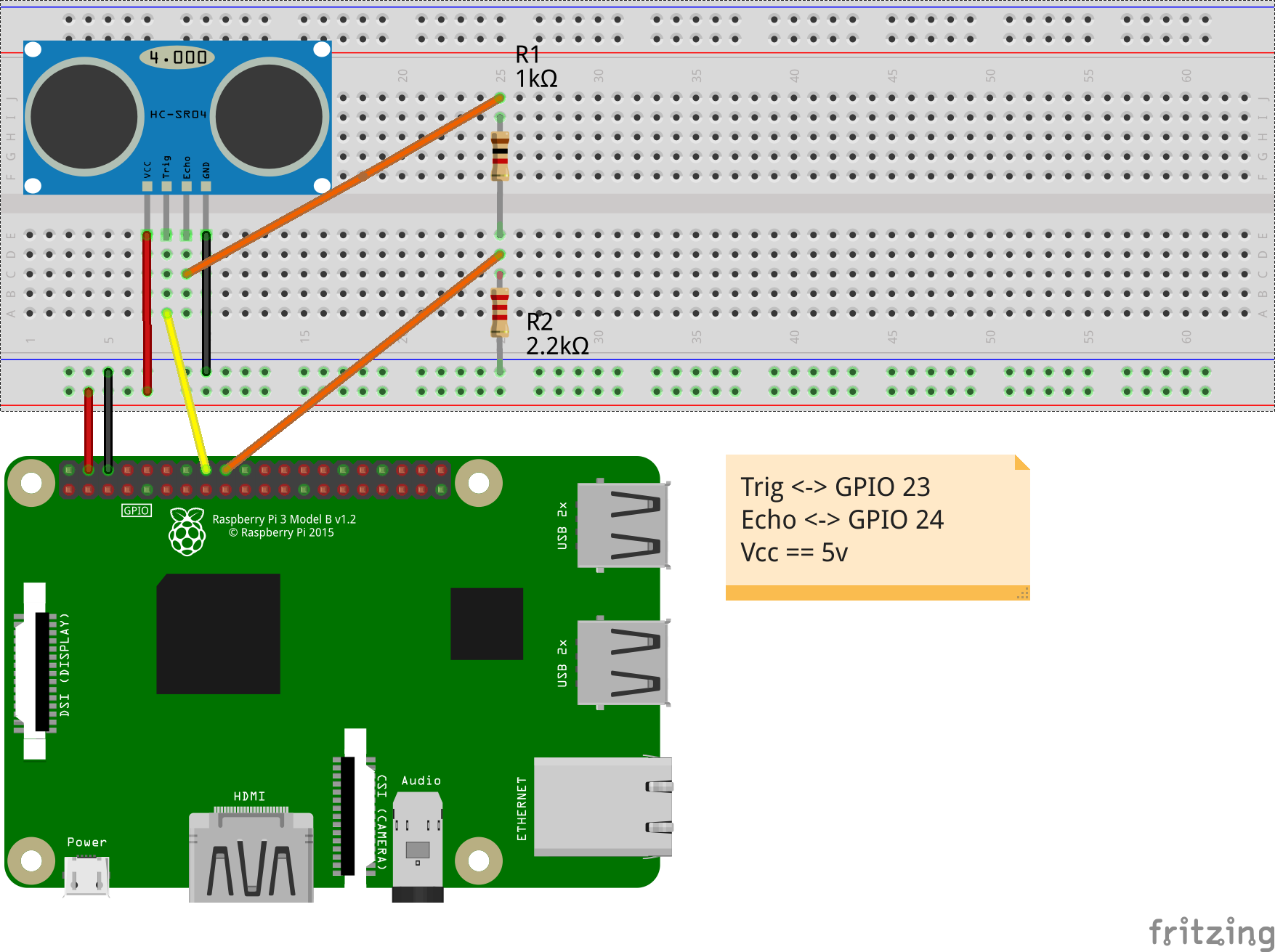
Note that per the documentation, the HC-SR04 requires 5v in, and also returns 5v from the ECHO pin back to the Pi's GPIO (which only handles 3.3v), so a voltage regulator or voltage divider is required to limit the voltage to a healthy 3.29v. I opted for the divider while writing the software. Here's a diagram depicting how I achieved that.
Next up, a SN74HC595 shift register, as I need it to continue to work on the other various projects I have going on. I've almost completed the dist for the BMP180 barometric/altimeter sensor, as well as the MCP300x series analog-to-digital converters.
| For: | Use: | ||
| & | & | ||
| < | < | ||
| > | > | ||
| [ | [ | ||
| ] | ] |