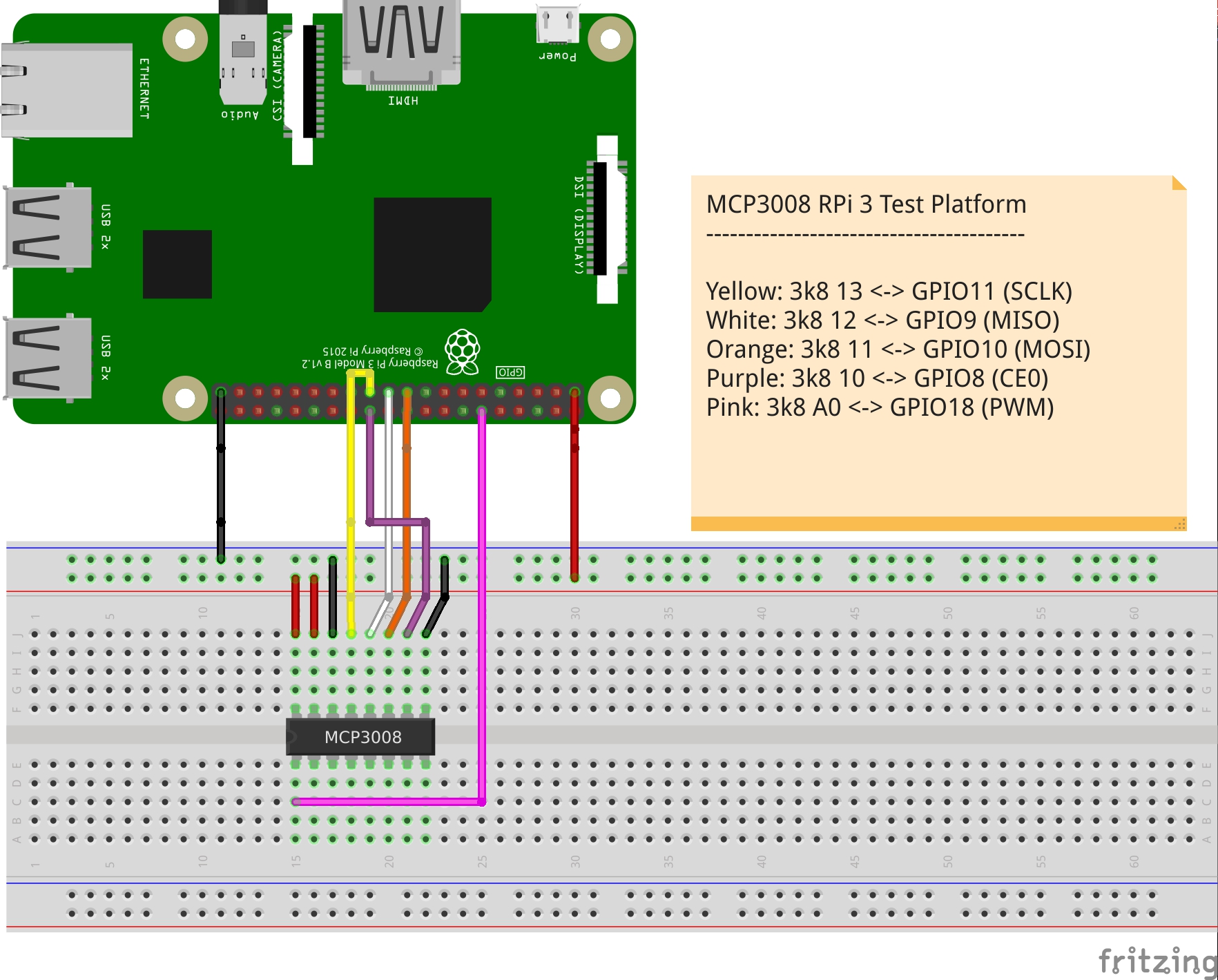
I had issues a month ago trying to get this to work, so I left it knowing I'd come back to it. I had a one-off issue that was throwing me off. Now, RPi::ADC::MCP3008 is available.
This SPI-connected device has a very handy feature I've incorporated. You can connect its CS pin to either of the two built-in hardware SPI Slave Select (CE aka CS) pins on the Pi and the Pi will handle the bridging of the communication, or, if those two pins are already in use, you can set the channel to an unused GPIO pin, connect that to the ICs CS pin, and we'll automagically bit-bang the SPI bus for you. Essentially, this trick allows you to connect as many ICs as you have GPIO, plus the two onboard hardware SPI bus pins.
my $spi_channel = 0; my $adc = RPi::ADC::MCP3008->new($spi_channel); my $adc_channel = 0; # 0-7 single ended, 8-15 differential my $raw = $adc->raw($adc_channel); my $percent = $adc->percent($adc_channel); print "input value: $raw, $percent\n"; __END__ input value: 776, 78.49
The above example uses pin CE0 on the RPi, which is the first of the two hardware SPI slave select channels. To use a GPIO pin instead and to free up the hardware SPI pins, use a GPIO pin number higher than 1, and connect that GPIO pin to the CS pin on the chip:
my $chan = 26; # (GPIO pin 26) my $adc = RPi::ADC::MCP3008->new($chan); ...
...we'll do the bit-banging of the bus automatically, so you don't have to.
The documentation includes the different ADC input channels and modes, a simplistic Rasperry Pi 3 breadboard layout, and a link to the datasheet if you're interested.
I have expanded my RPi::SPI with this auto bit-banging trick, and didn't even have to change the API at all. 2.36.5 of that distribution includes the new feature, and should hit a CPAN mirror near you shortly.
The trickery starts in the module, but the implementation and math is written in C, using calls to the base library. Feedback welcome on my C implementation.
| For: | Use: | ||
| & | & | ||
| < | < | ||
| > | > | ||
| [ | [ | ||
| ] | ] |