Not always, POD often demands completely empty lines !
> displaying underscores for whitespaces is very confusing.
I know what you mean, but it's not an underscore it's underlined! 8)
You can either switch it off (setq cperl-invalid-face nil)
Or you are free to configure a new face¹ other than "underlined" to be used.
I expanded this config which I found in emacswiki:cperl-mode to default to 98% grey background. It's in my .emacs just after loading cperl-mode.
(defface cperl-my-trailing-spaces-face '((((class color)) ;; define your tastes (background, foreground) ( :background "grey98" ; :underline "grey" ) )) "My face for trailing spaces in cperl mode" :group 'cperl-mode) ; Here is the most important part. It says t +o add ; this face to the customizable group cperl- +mode ;; now you can "bind" this face to cperl-invalid-face (set-default 'cperl-invalid-face 'cperl-my-trailing-spaces-face)
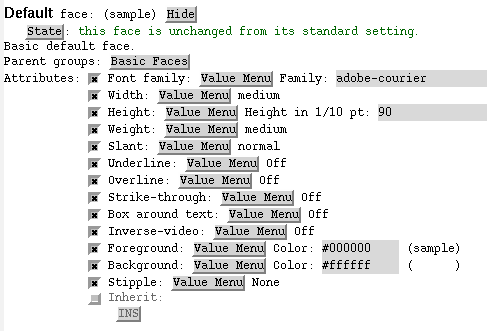
M-x customize-face cperl-my-trailing-spaces-face will show you a "GUI" to change these defaults, test and save all these face settings. Or you can click thru the menus to the customization-group "cperl-mode"
HTH!
Cheers Rolf
FOOTNOTES:
¹) a face is roughly the correspondant of a CSS-class in emacs speak
In reply to [emacs] Trailing whitespace
by LanX
in thread [Golfing] Uncommenting a block
by LanX
| For: | Use: | ||
| & | & | ||
| < | < | ||
| > | > | ||
| [ | [ | ||
| ] | ] |