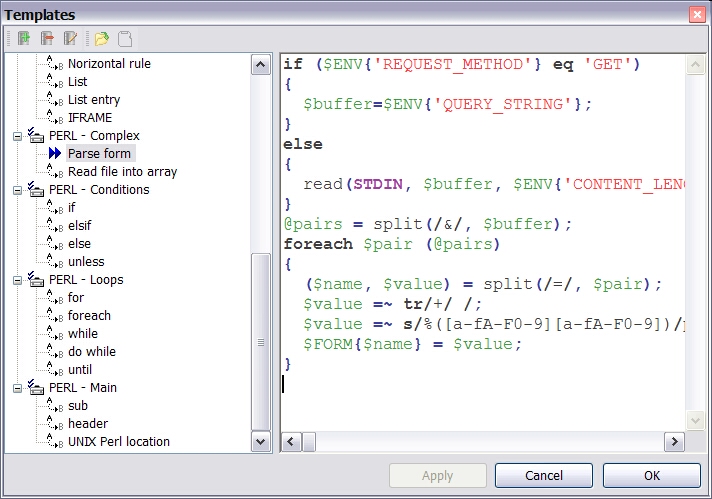
How is this different than the last two times you posted something very similar to this? (public beta testing of Perl Editor and Free Perl Editor) Did you not get enough feedback? Or did you not like the feedback that you received?

Honestly, I didn't try it then and I'm not going to try it now (I do all of my development on linux using vi) but humor me... What is the point of someone like me beta testing this *besides* the fact that you'll give me a license for the full professional version that I will never use? You benefit from me testing it but what's in it for me?

Update: By the way, this screenshot shows your lack of Perl knowledge.


In reply to Re: Perl Editor Beta-tests by Mr. Muskrat
in thread Perl Editor Beta-tests by Luckasoft

Title:
Use:  <p> text here (a paragraph) </p>
and:  <code> code here </code>
to format your post, it's "PerlMonks-approved HTML":


  • Posts are HTML formatted. Put <p> </p> tags around your paragraphs. Put <code> </code> tags around your code and data!
  • Titles consisting of a single word are discouraged, and in most cases are disallowed outright.
  • Read Where should I post X? if you're not absolutely sure you're posting in the right place.
  • Please read these before you post! —
  • Posts may use any of the Perl Monks Approved HTML tags:
    a, abbr, b, big, blockquote, br, caption, center, col, colgroup, dd, del, details, div, dl, dt, em, font, h1, h2, h3, h4, h5, h6, hr, i, ins, li, ol, p, pre, readmore, small, span, spoiler, strike, strong, sub, summary, sup, table, tbody, td, tfoot, th, thead, tr, tt, u, ul, wbr
  • You may need to use entities for some characters, as follows. (Exception: Within code tags, you can put the characters literally.)
            For:     Use:
    & &amp;
    < &lt;
    > &gt;
    [ &#91;
    ] &#93;
  • Link using PerlMonks shortcuts! What shortcuts can I use for linking?
  • See Writeup Formatting Tips and other pages linked from there for more info.